
Webhooks
Overview
Webhooks support two invocation scenarios: alert-triggered callbacks and API request completed callbacks. Callback URLs must use HTTPS (https://).
You can configure a Webhook to be called when an alert is triggered, or you can receive API request success notifications as a standard request body.
UI Preview
Below are UI screenshots for the Webhooks feature:
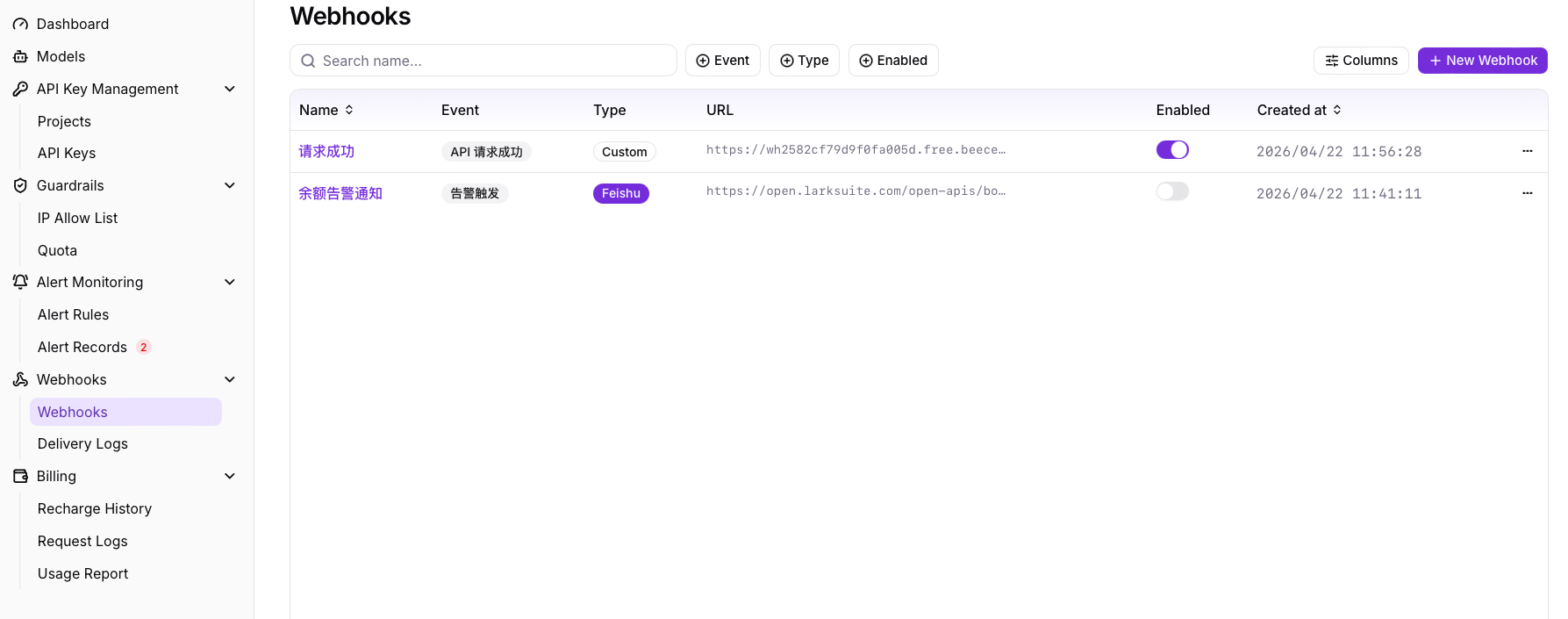
Figure: Webhooks main UI
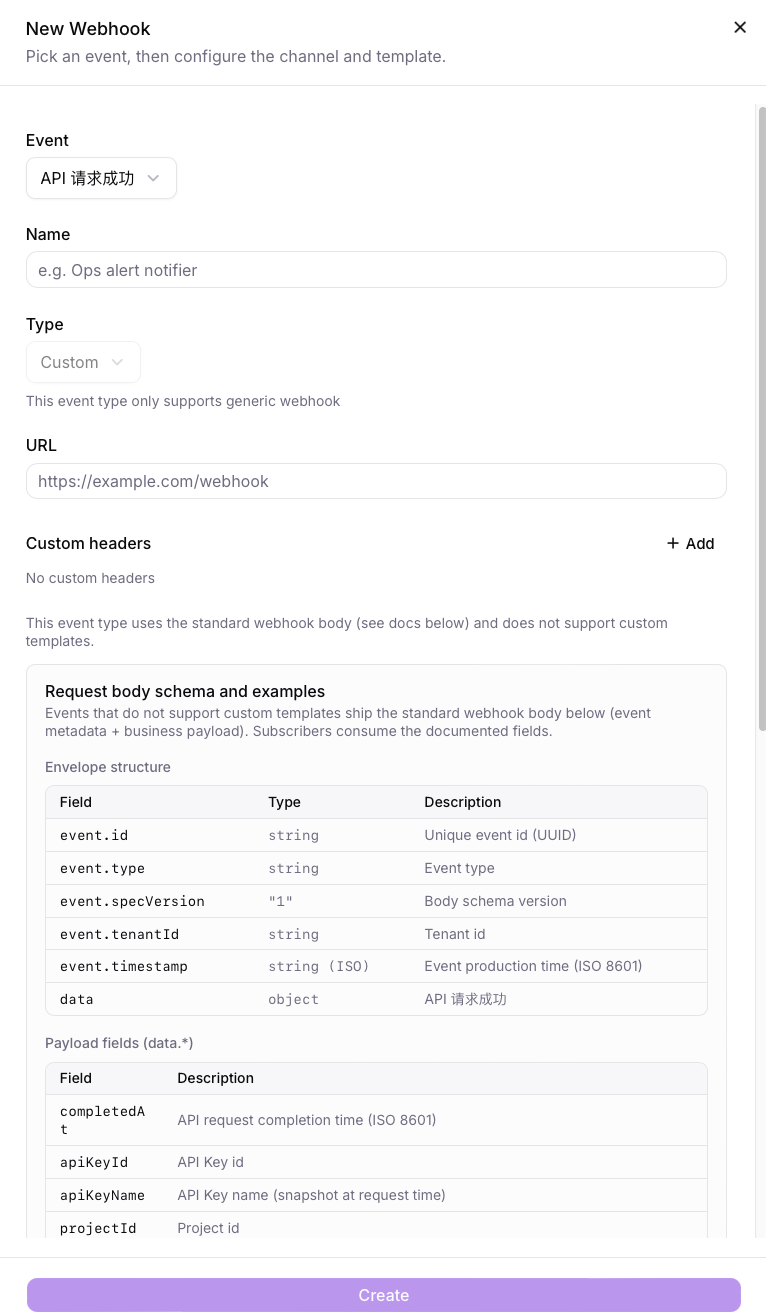
Figure: Create Webhook UI
Alert Trigger Callback
The alert callback supports template variables. Common variables:
${triggerSource}— trigger source (e.g. project name)${triggerValue}— current metric value (raw)${triggerValueDisplay}— current metric value (formatted, with unit, e.g. $90.00 / 90%)${ruleName}— alert rule name${metricName}— monitored metric name${triggerAt}— trigger time (ISO 8601)${ruleThreshold}— alert threshold (raw)${ruleThresholdDisplay}— alert threshold (formatted with unit, e.g. $100.00 / 80%)${defaultMessage}— system default alert message${viewLink}— link to the detail page
Reference payload:
{
  "event": {
    "type": "alert.triggered",
    "specVersion": "1"
  },
  "data": {
    "metricName": "${metricName}",
    "ruleName": "${ruleName}",
    "triggerSource": "${triggerSource}",
    "triggerValue": "${triggerValue}",
    "triggerValueDisplay": "${triggerValueDisplay}",
    "ruleThreshold": "${ruleThreshold}",
    "ruleThresholdDisplay": "${ruleThresholdDisplay}",
    "triggerAt": "${triggerAt}",
    "defaultMessage": "${defaultMessage}",
    "viewLink": "${viewLink}"
  }
}
The alert callback supports variable replacement and will be delivered as JSON. Custom message templates are not supported beyond the provided variables.
API Request Completed Callback
This callback is triggered when an API request completes. The callback uses a standard Webhook envelope structure in the request body and does not support custom message templates.
Envelope fields
| Field | Type | Description |
|---|---|---|
| event.id | string | Unique event ID (UUID) |
| event.type | string | Event type |
| event.specVersion | "1" | Payload spec version |
| event.tenantId | string | Tenant ID |
| event.timestamp | string (ISO) | Event timestamp (ISO 8601) |
| data | object | API request completed payload |
Payload (data.*) fields
| Field | Description |
|---|---|
| completedAt | API request completion time (ISO 8601) |
| apiKeyId | API Key ID |
| apiKeyName | API Key name (snapshot at request time) |
| projectId | Project ID |
| projectName | Project name (snapshot at request time) |
| path | HTTP request path |
| model | Model ID used |
| isBatch | Whether the call was a batch call (batch pricing applied to cost) |
| usage | Usage details (tokens, images, videoSeconds, etc.) |
| cost | Final cost (after batch discount), unit: CNY |
| latencyMs | Request latency in milliseconds |
Reference example:
{
  "event": {
    "id": "9e8f7b2a-4c3d-4f5a-9e1b-7a6b5c4d3e2f",
    "type": "api_request.completed",
    "specVersion": "1",
    "tenantId": "org_abc",
    "timestamp": "2026-04-17T10:23:11.442Z"
  },
  "data": {
    "completedAt": "2026-04-17T10:23:11.089Z",
    "apiKeyId": 42,
    "apiKeyName": "prod-anthropic",
    "projectId": 7,
    "projectName": "Customer Service Bot",
    "path": "/v1/messages",
    "model": "claude-opus-4-5",
    "isBatch": false,
    "usage": {
      "inputTokens": 1234,
      "outputTokens": 567,
      "totalTokens": 1801
    },
    "cost": 0.04218,
    "latencyMs": 2310
  }
}
Delivery Records
The system records each Webhook delivery attempt (including retries). Delivery logs include delivery time, target URL, HTTP status code, response summary, retry count, and final status.
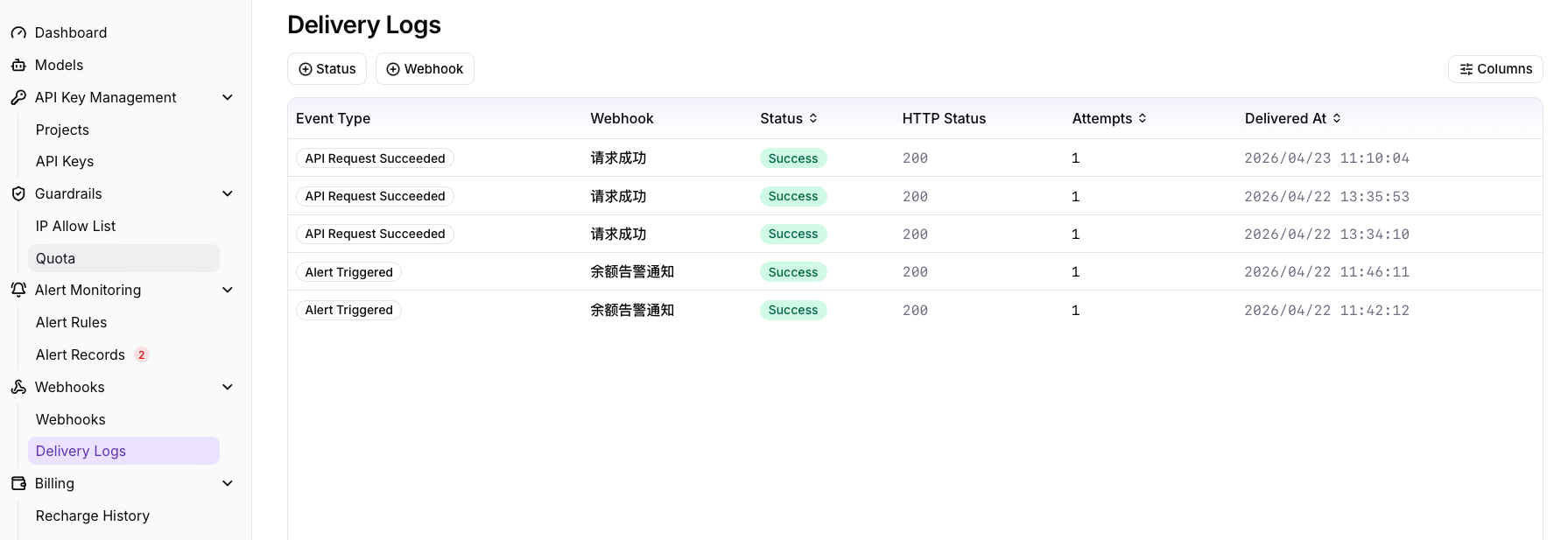
Figure: Webhook delivery records (example)