
Alert Monitoring
Overview
Alert Monitoring provides real-time monitoring of key metrics such as quotas and prepaid balances. Alerts are triggered when configured thresholds are exceeded and can be recorded or sent via callback.
Launched: 2026-04-23
Feature 1 — Create Monitor
What it does
- Supported monitor types:
- Prepaid balance monitoring: enter a specific balance threshold; an alert is triggered when balance falls below the threshold.
- Quota monitoring: Quota monitoring applies globally and does not support selecting individual quota rules. Monitors will trigger alerts for all configured quotas and do not require selecting existing quota policies during creation.
- Target scope: global (does not support selecting
API Key/Project/ Organization). - Threshold options:
- Percentage threshold: triggers when current usage >= configured percentage (e.g. 80%).
- Fixed-value threshold: suitable for balance-based monitoring or other fixed limits.
Configuration steps
- Select monitor type and metric (prepaid balance or quota monitoring — global; no need to select existing quota policies).
- Select target scope (API Key / Project / Organization).
- Enter threshold (percentage or fixed value).
- Choose alert action: trigger Webhook or record the alert.
UI example
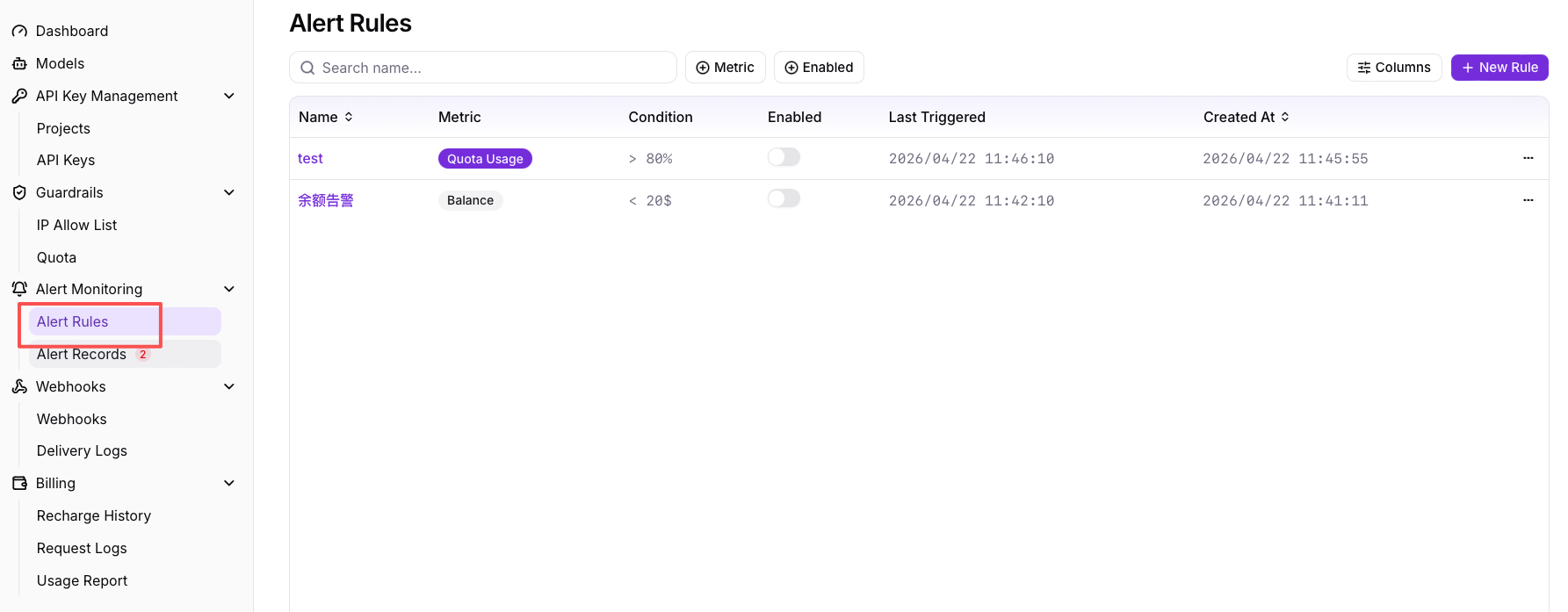
Figure 1: Alert rules page
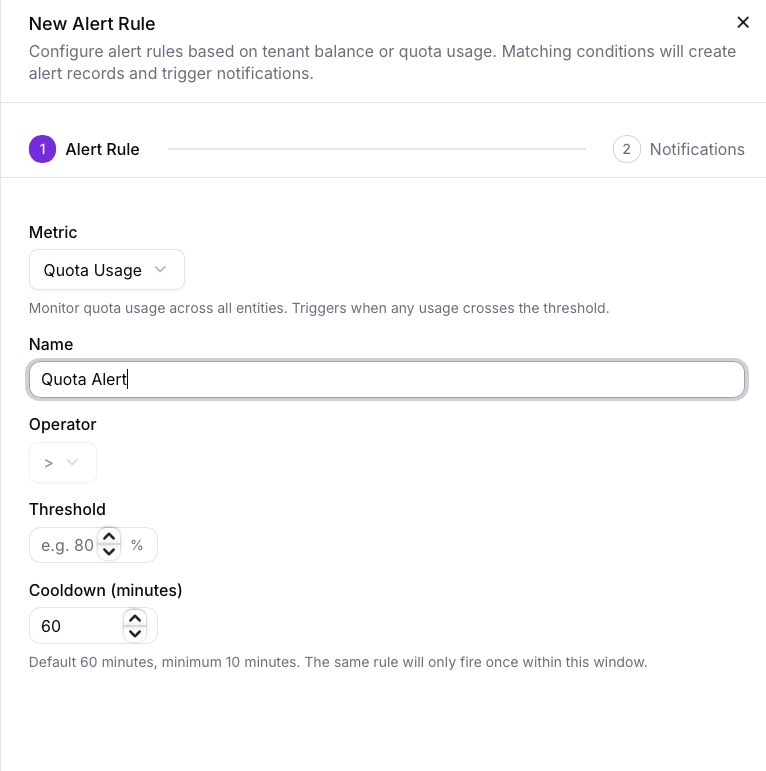
Figure 2: Create rule
Feature 2 — Alert Records
What it does
- Query historical alerts with filters by time range, rule name, metric, project, and status (triggered/recovered).
- Each alert record contains trigger time (ISO 8601), trigger value (raw), threshold, rule name, trigger source, and delivery status (Webhook success/failure summary).
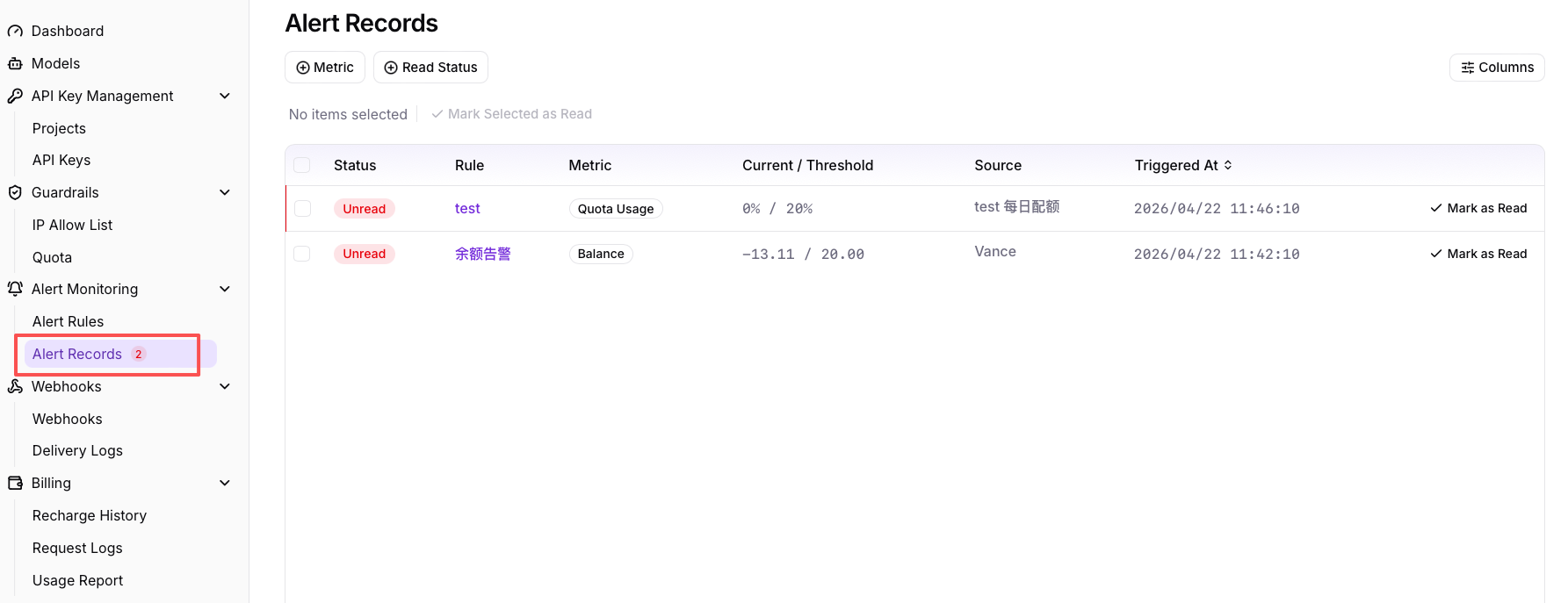
Figure 3: Alert Records (example)
See the Webhooks documentation for callback formats and delivery details: /en/guide/usage/webhooks