
Quota Management
Feature Overview
Quota management is used to control and limit API call usage, ensuring reasonable allocation of resources. By setting periodic quotas, you can prevent unexpected high costs.
Launch Date: April 10, 2026
Periodic Quotas
Feature Description
This version currently supports cost quotas only (quota control based on cost dimension).
Quota Configuration
A new "Quotas" module has been added to the console. When creating quota rules, you can configure the following:
- Quota Value: Set the maximum spending limit for this period
- Reset Cycle: Choose the reset frequency for quotas
- Daily: Resets every day
- Weekly: Resets every week
- Monthly: Resets every month
- Target Scope: Choose the scope where the rule applies
- API Key: Apply to specific or all API Keys (check "All" to apply to all API Keys)
- Project: Apply to specific or all Projects (check "All" to apply to all Projects)
- Organization Account: Apply to the entire organization account
Quota Rule Examples
Recommended quota rule configuration:
Step 1: Create 3 global rules
  Rule 1: All API Keys, Daily cycle, Quota: 100
  Rule 2: All Projects, Weekly cycle, Quota: 500
  Rule 3: Organization Account, Monthly cycle, Quota: 5000

Step 2: Create override rules for specific needs
  Rule 4: Specific API Key (e.g., "VIP App"), Daily cycle, Quota: 1000
  Rule 5: Specific Project (e.g., "Production"), Monthly cycle, Quota: 10000
Tip: After exceeding the quota limit, you can restore API calls by increasing the quota value.
Quota Management Interface
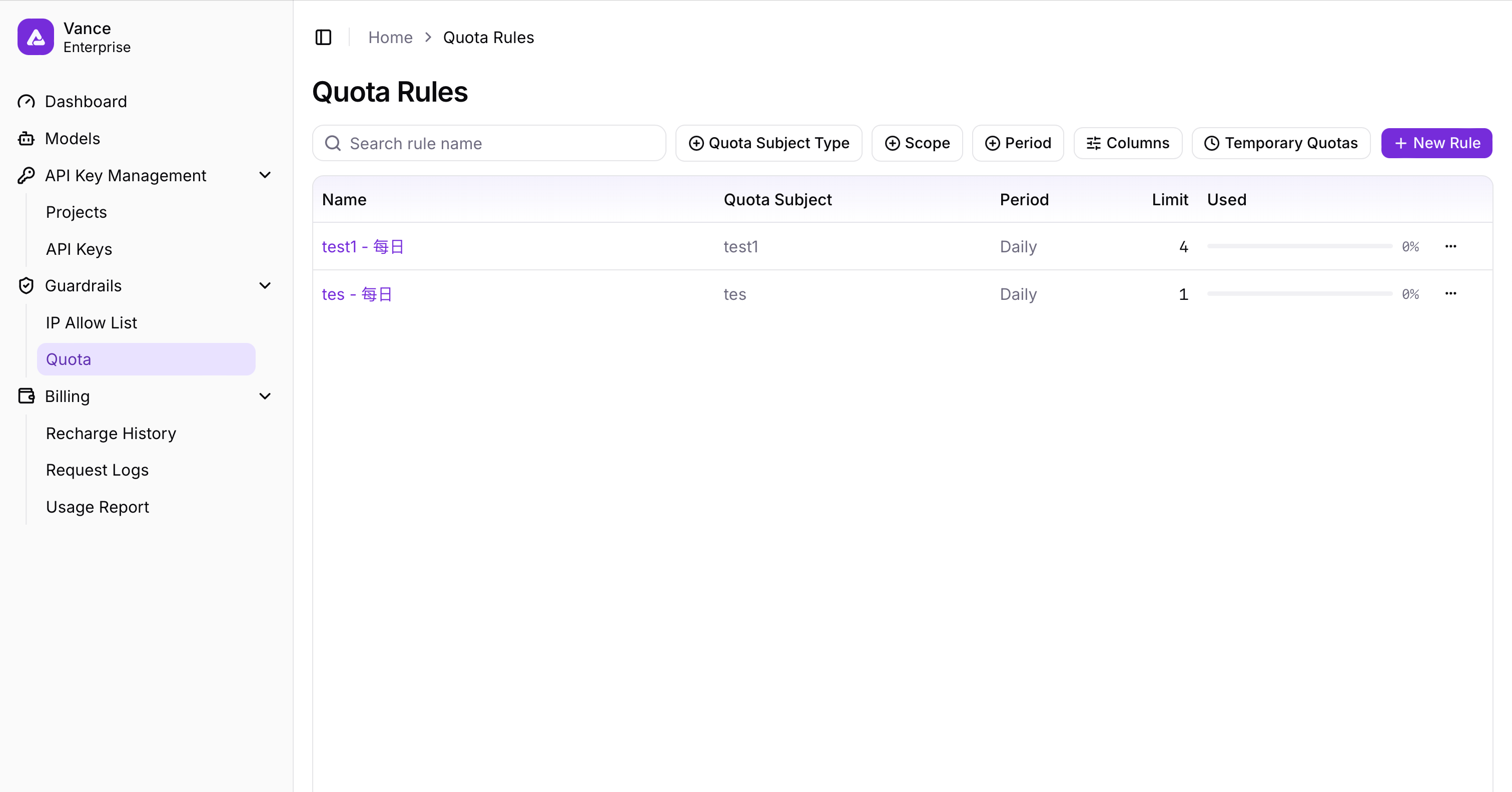
Figure 1: Quota Management - Quota Rules List
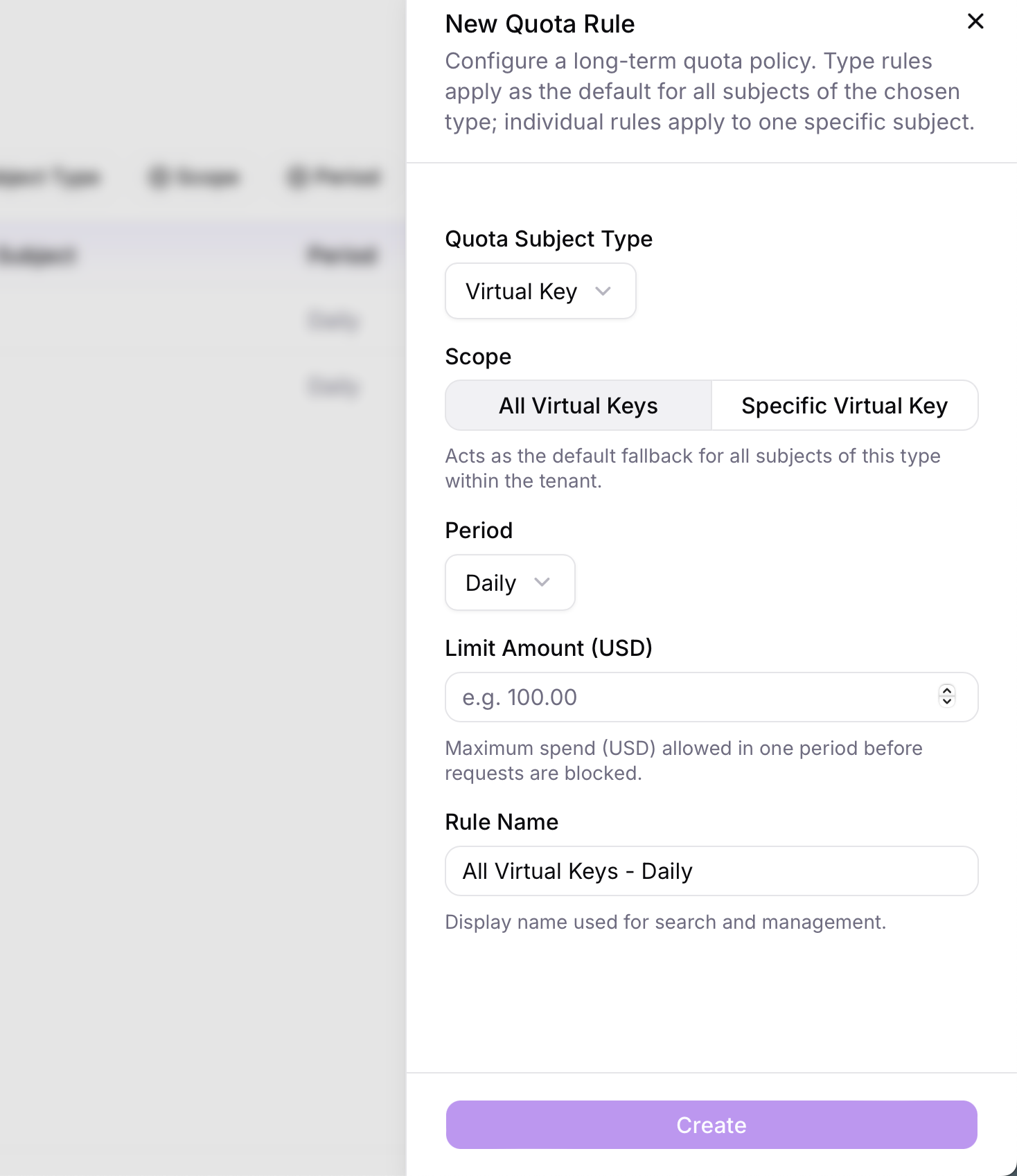
Figure 2: Quota Management - Quota Control
API Call Restrictions
Restriction Rules
When an API call is made, the system performs the following checks:
- Check Current API Key Usage: Whether it has reached or exceeded the quota limit of relevant rules
- Multi-Rule Judgment: If any rule's limit is triggered (including the Project's rules, Organization's rules, etc.), the current API call will be prohibited
- Response Status Code: Prohibited requests will return 429 status code
Restriction Scenarios
Scenario 1: Single API Key Exceeds Limit
Quota Rule: API Key "key-001" has a daily quota of 100

Situation:
  - Current API Key has consumed 99, this request will consume 2
  - Restriction triggered (99 + 2 > 100)
  - API call is prohibited, returns 429

Recovery: Increase the daily quota for this API Key to 102 or higher
Scenario 2: Multi-Level Nested Restrictions
Quota Rules:
  Rule A: API Key "key-002" has a weekly quota of 1000
  Rule B: Project "projectA" has a weekly quota of 500 (key-002 belongs to projectA)
  Rule C: Organization Account has a weekly quota of 2000

Current Consumption Statistics:
  - API Key level: 800 consumed (Rule A)
  - Project level: 480 consumed (Rule B)
  - Organization level: 1800 consumed (Rule C)

Results:
  - Rule A: Not exceeded (800 < 1000) ✓
  - Rule B: Exceeded (480 + request > 500) ✗
  - Rule C: Not exceeded (1800 + request may be < 2000)

API call is prohibited (Rule B triggered), returns 429
Monitoring and Debugging
FAQ
Q: How do I distinguish between different quota levels?
A: The system supports three quota levels:
- API Key Level: Most granular, restricts individual API Keys
- Project Level: Restricts at project level, shared by all API Keys in the same project
- Organization Level: Most coarse, overall limit for the entire organization account
Q: Which rule takes priority when multiple rules are active?
A: The system uses "strictest first" logic. As long as any rule's quota limit is triggered, the API call will be prohibited.
Q: How do I recover after exceeding the limit?
A: You can recover in the following ways:
- Increase Quota Value: Edit the corresponding rule and increase the quota limit
- Wait for Cycle Reset: The quota will automatically reset at the end of the cycle (usage count zeros)
- Create Exception Rules: Create a rule with higher quota for specific API Keys or Projects
Q: What does 429 error specifically mean?
A: 429 status code means "too many requests" or in this context quota limit triggered. How to check:
- View recent API Key consumption records
- Confirm if any quota rule has been triggered
- Check which rule level was triggered (API Key / Project / Organization)